
Connect agents to external tools.
Register a remote Model Context Protocol endpoint, protect its credentials, and discover the tools that agents can invoke.
The server name, endpoint, and transport are always required. Authentication fields adapt to the selected credential strategy.
Overview
Register, verify, and expose tools
An MCP server gives agents structured access to remote APIs and operations. The platform negotiates the transport, injects encrypted credentials, reads the tool schemas, and makes selected tools available during agent execution.
Identify the server and select how the platform should connect.
Provide only the credentials required by the remote endpoint.
Test connectivity and inspect the callable tools before saving.
Section 01
Server Identity & Endpoint
Define the server's directory identity, transport negotiation strategy, and network location.
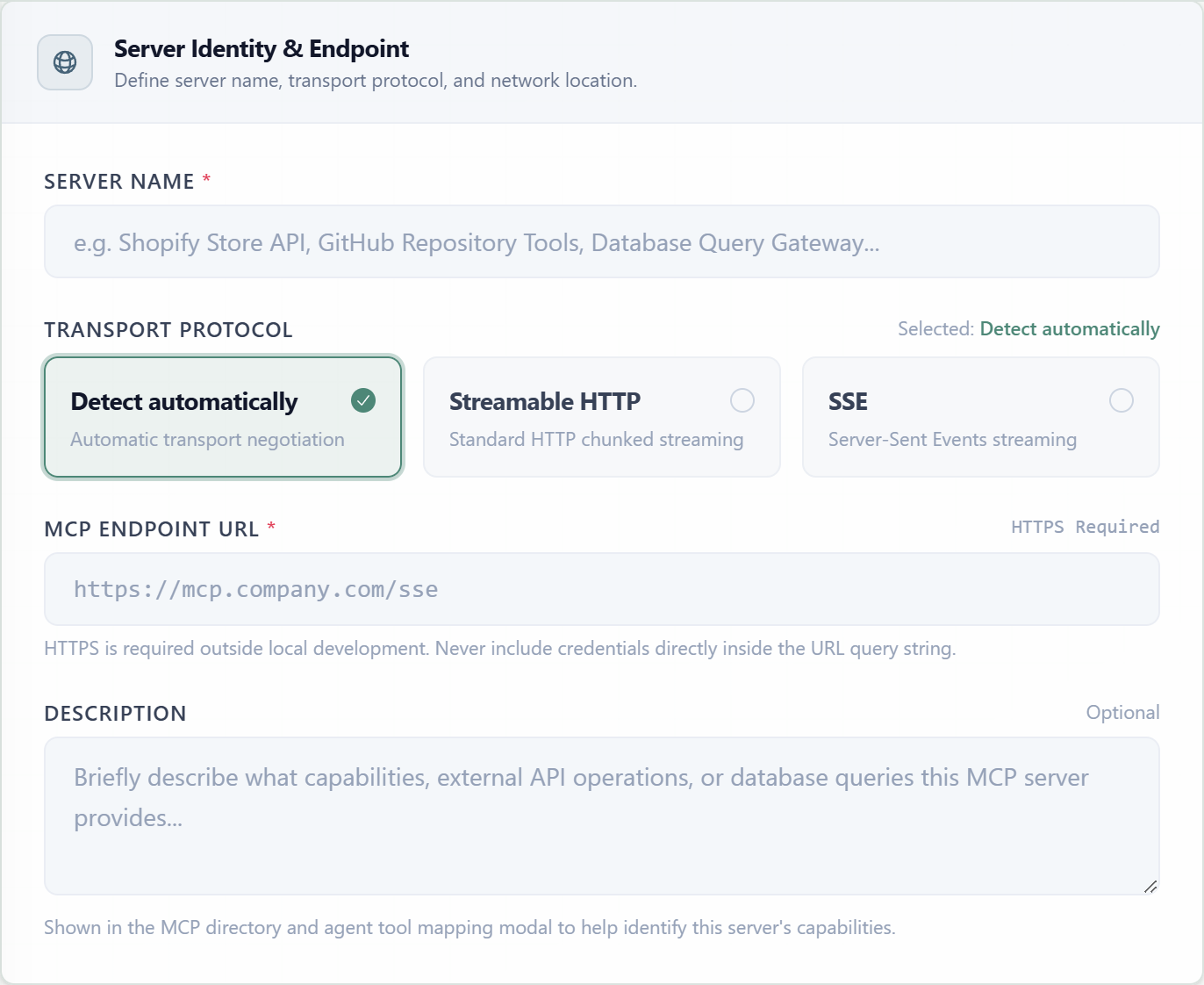
Server NameRequiredThe recognizable label shown in the MCP directory and agent tool configuration.
TransportRequiredControls how the platform opens and maintains the MCP connection.
Endpoint URLRequiredThe complete remote MCP endpoint used for discovery and tool invocation.
DescriptionOptionalSummarizes the APIs, operations, or data access exposed by the server.
Negotiates the compatible transport with the endpoint. This is the default.
Uses standard HTTP chunked streaming for bidirectional MCP communication.
Uses Server-Sent Events streaming for servers that expose an SSE endpoint.
Section 02
Security & Authentication
Select the authentication method expected by the server. The form reveals only the fields needed for that method; the screenshot shows Custom Headers with one credential pair.
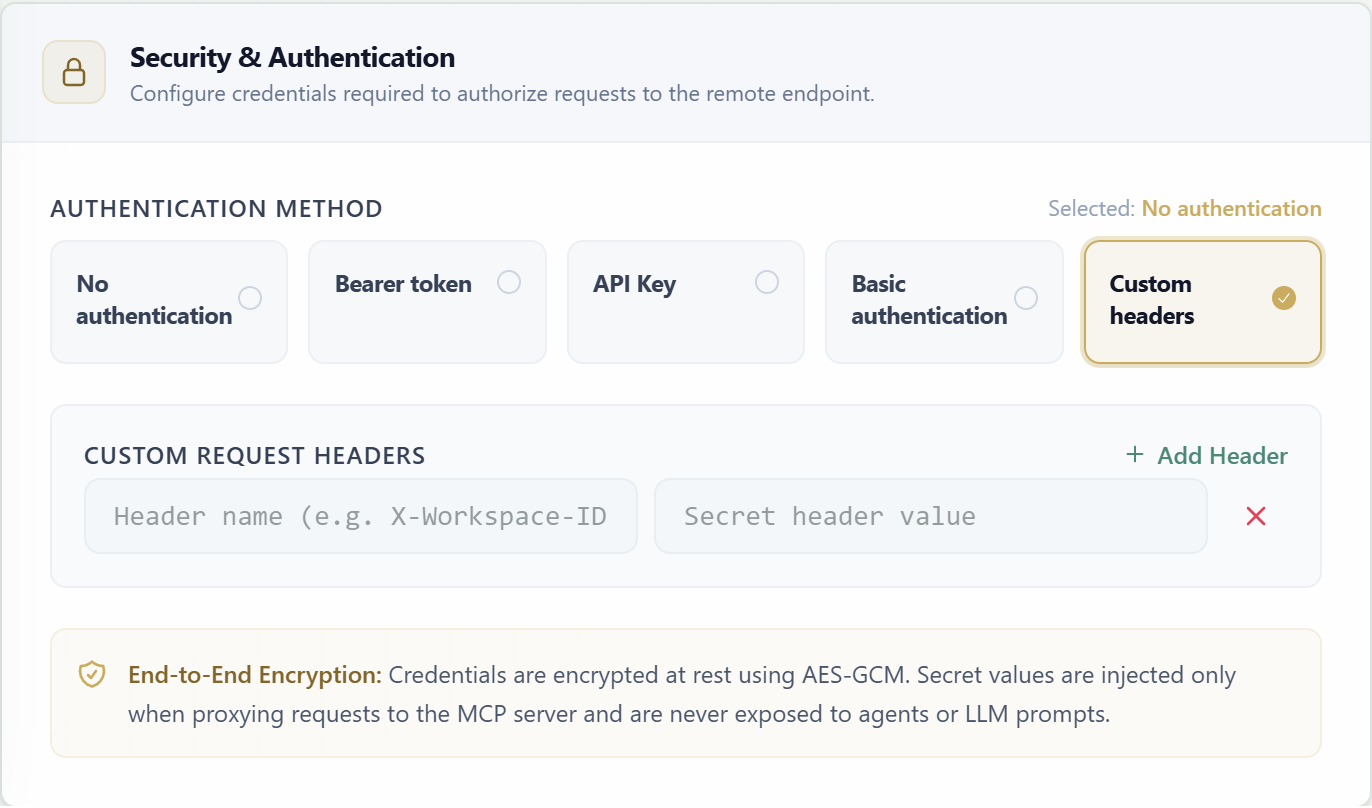
| Method | Fields | Request behavior |
|---|---|---|
| None | No credential fields | Use only for endpoints that intentionally accept unauthenticated requests. |
| Bearer token | Bearer Token * | Sends the secret as Authorization: Bearer <token>. |
| API Key | Header Name + API Key Value * | Sends the key through a configurable header; the header name defaults to Authorization. |
| Basic | Username * + Password * | Builds standard HTTP Basic authentication from the credential pair. |
| Custom headers | Repeatable Header Name + Secret Value | Adds one or more encrypted request headers; rows can be added or removed independently. |
Credentials are encrypted at rest with AES-GCM, injected only while proxying MCP requests, and are not exposed to agents or language-model prompts.
Section 03
Discovered Tools & Capabilities
Test Connection & Discover contacts the endpoint with the current transport and credentials, then loads the names, descriptions, and JSON schemas of its exposed tools.
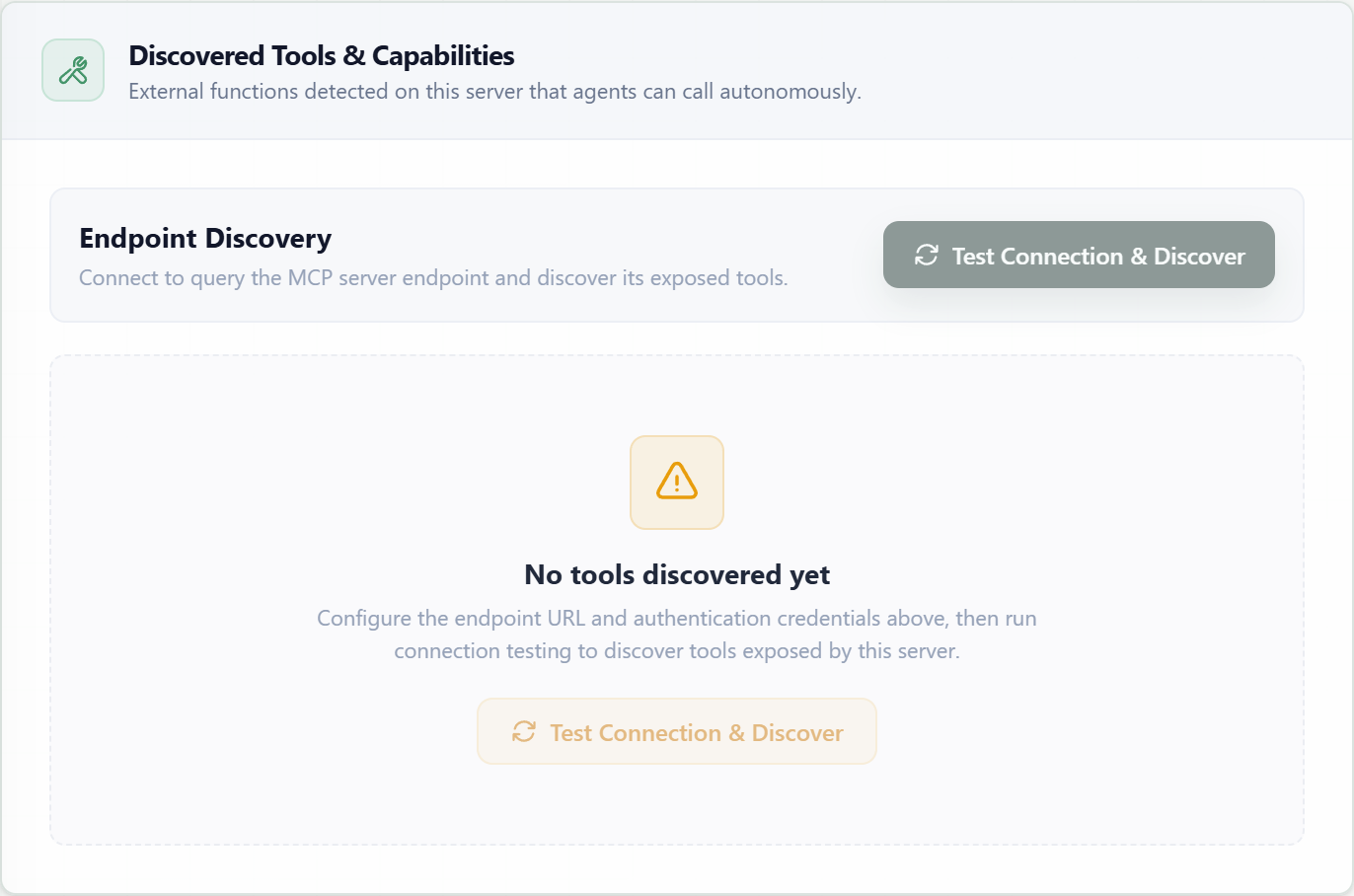
Test ConnectionValidates endpoint reachability, transport negotiation, and authentication using the unsaved form values.
Discover ToolsReads the remote tool list and its input schemas, then displays each discovered capability.
Save ServerPersists the connection configuration and encrypted credentials for later agent calls.
Live summary
Connection Overview
The summary mirrors the current name, endpoint, transport, authentication mode, connection status, and discovered tool count while you configure the server.
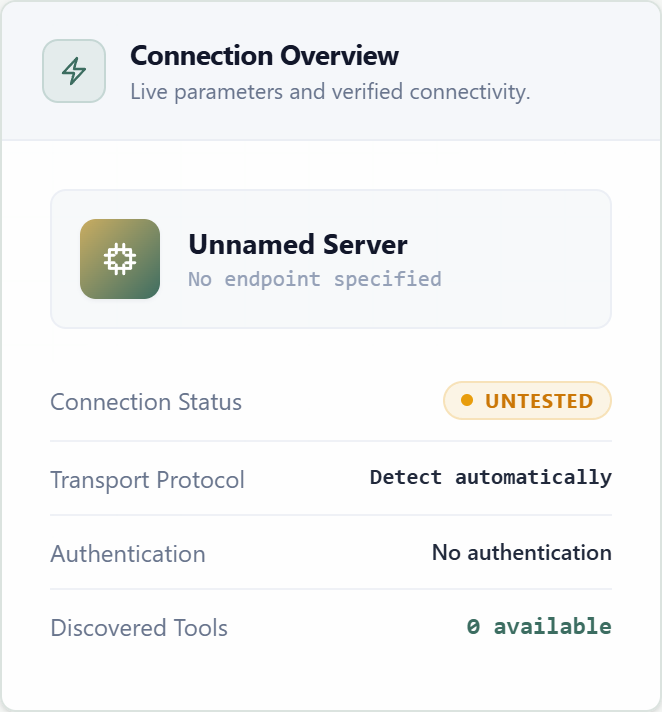
Required before save
Server name, valid endpoint URL, transport, authentication mode, and every credential required by that mode.
After creation
Save the server, attach it to an agent, and use Configure Tools in the agent form to grant only the operations that agent needs.