
Orchestrate agents into a reliable system.
Choose an execution pattern, define its limits, and assign the right agent to every functional role in the orchestrator canvas.
Select the architecture first, then configure its metadata and assign an agent to every generated role before saving.
Overview
Design the execution path
A workflow coordinates multiple saved agents under a repeatable execution graph. The selected pattern controls how messages move, which roles exist, and whether work is sequential, delegated, routed, parallelized, or iteratively refined.
Choose the collaboration pattern that matches the task shape.
Name the workflow and constrain iterative patterns when applicable.
Map a saved agent to every role in the generated graph.
Step 01
Select an orchestrator pattern
The pattern determines the workflow graph and the role slots presented in the next step. Changing the template rebuilds those slots, so select the architecture before assigning agents.
A generator drafts the answer and a reviewer approves it or returns feedback for another bounded cycle.
Passes each result to the next agent in a linear pipeline. Additional processing steps can be added.
A orchestrator delegates a complex request to worker agents and synthesizes their results.
Classifies intent and dispatches the request directly to the most suitable specialist route.
Decomposes work, runs specialist tasks concurrently, and combines their output into one response.
Creates a plan, executes each task, and adapts the remaining plan until the objective is complete.
Step 02 · Section 01
Workflow Details
Identify the workflow and, for iterative architectures, set an upper bound that prevents unbounded review or replanning loops.
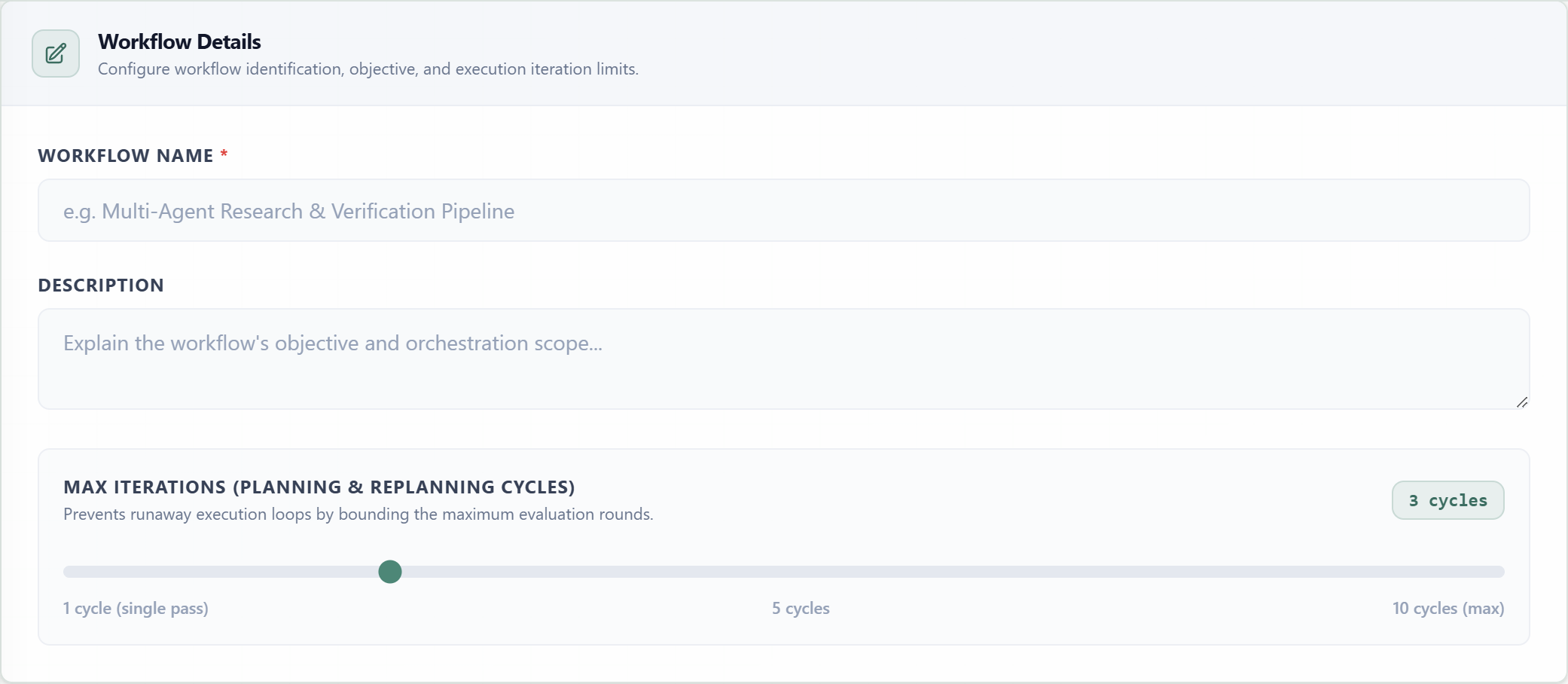
Workflow NameRequiredThe recognizable name shown in workflow directories and target selectors.
DescriptionOptionalA short summary of the workflow objective and orchestrator scope.
Max IterationsConditionalBounds feedback or replanning loops for Reflection and Plan-and-Execute patterns.
Step 02 · Section 02
Agent Orchestrator Canvas
The canvas visualizes message flow and provides one assignable slot per functional role. Choose an existing agent from each inline selector or drag one directly onto the node.
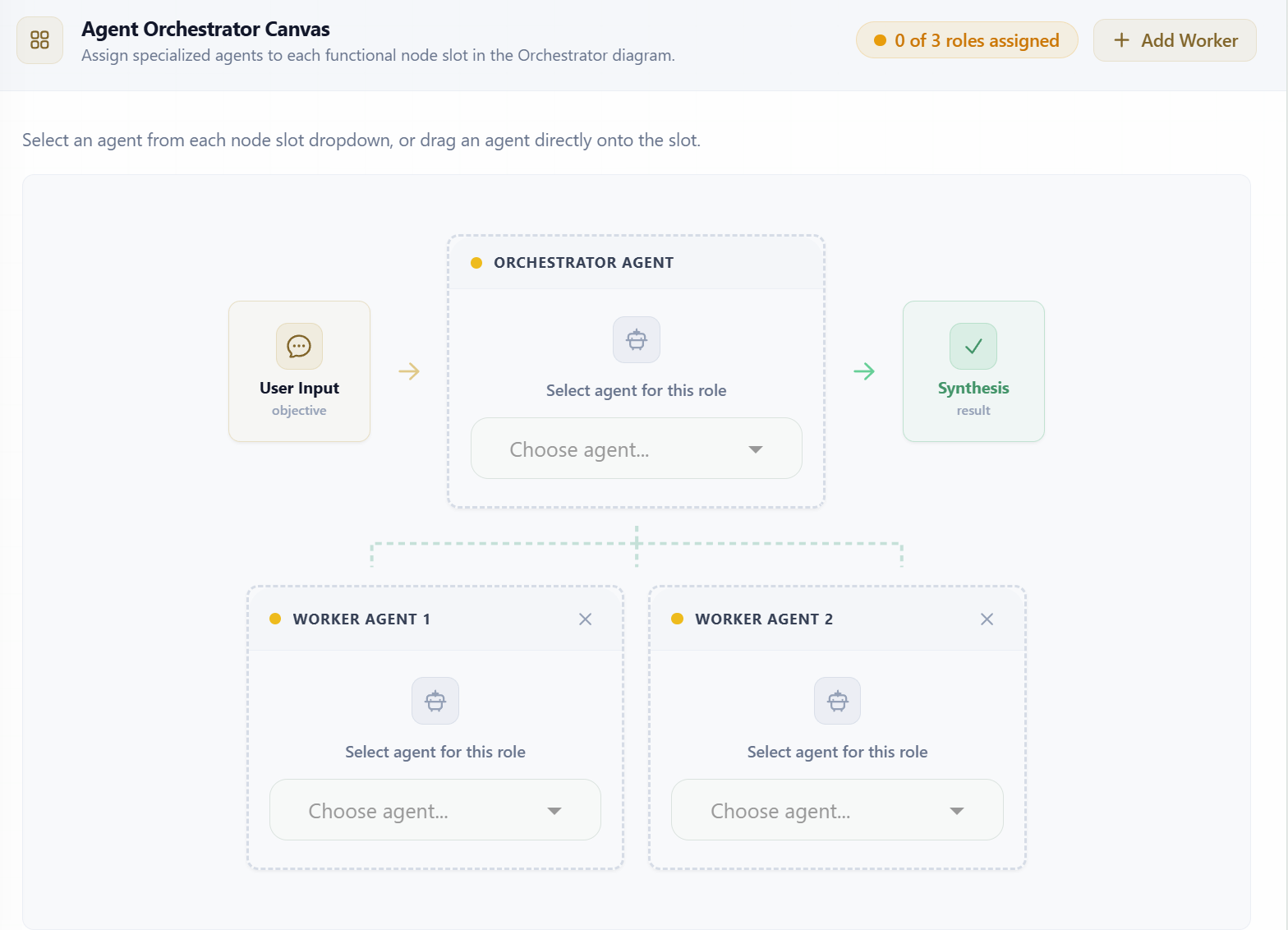
Role SlotEach node represents one responsibility in the selected pattern and requires a saved agent.
Node OrderThe canvas order defines execution order for sequential steps and the structural position of all other roles.
Dynamic NodesSequential steps, Orchestrator workers, Router routes, and Parallel workers can be extended.
The assigned-role counter must reach the total number of nodes before Create Workflow is enabled. Sequential, Orchestrator, Dynamic Router, and Parallel patterns allow additional role nodes.
Complete configuration
Validate and create
A workflow can be saved after it has a name and every role slot has an assigned agent. Description is optional, while the selected pattern and node order are persisted with the workflow.
Required before save
Pattern selected, workflow name entered, and one agent assigned to each node.
After creation
Run the workflow in the Playground to inspect node transitions and verify the final synthesis before using it through the API or a widget.